
Insights
Email & Deliverability
Are You Ready for Gmail’s Inactive Account Culling?
The original 2023 perspective on Google’s inactive-account policy, deliverability risk, and the importance of maintaining a healthy email audience.
At A glance
Original perspective, current context
Google's inactive-account announcement highlighted an enduring marketing challenge: subscriber databases need regular evaluation, thoughtful re-engagement, and disciplined list maintenance.
Historical article - originally published on LinkedIn November 29, 2023.
This is an adapted archive of the original commentary, not a current compliance checklist. Some provider policies, dates, and interpretations have changed since 2023. For current guidance, read Gmail Inactive Accounts and Email List Hygiene.
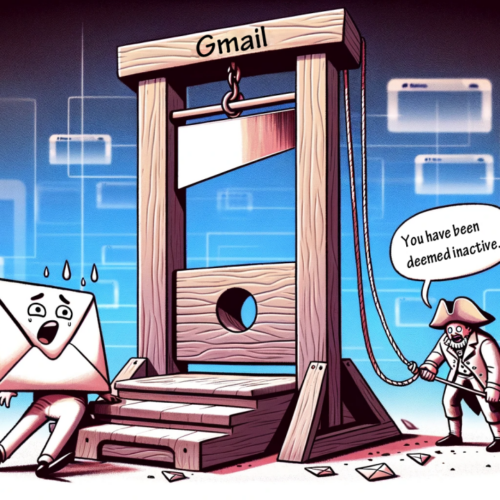
In May, Google announced that they are removing inactive accounts (Article Here). This is set to take effect in a few days. While some of you may be ahead of the curve, some others may be unaware of the impact this could have on deliverability to your Gmail users, and its effect on your business.
Having inactive accounts in your email list can lead to several pitfalls that negatively impact the effectiveness of your email marketing campaigns and the overall health of your email program. Here are some key issues associated with having inactive accounts on your email list:
Lower Engagement Rates:
Inactive accounts naturally lead to lower open and click-through rates since these accounts are not engaging with your emails. This can skew your analytics, making it harder to accurately gauge the success of your campaigns among truly engaged subscribers.
Damaged Sender Reputation:
Email service providers (ESPs) track sender reputation, partly based on engagement rates. A high volume of inactive accounts can lower these rates, potentially harming your sender reputation. A damaged reputation can lead to your emails being more frequently filtered into spam folders, even for active subscribers.
Lower Deliverability Rates:
ISPs and ESPs monitor how recipients interact with your emails. A high number of inactive users can signal to these providers that your content isn't valuable or desired, which can lower your overall deliverability rate.
Delivery Issues:
Sending to inactive accounts can often produce a hard bounce from the ISP signaling that you are sending to an account that does not exist. High bounce rates are one key metric in identifying bad senders. This can lead to all out blocks on your messages, reducing or cutting off your ability to get your content to your active subscriber audience.
Increased Risk of Being Marked as Spam:
If a large portion of your emails are sent to inactive accounts, it increases the likelihood of your emails being marked as spam. Some inactive accounts might be converted into spam traps by ISPs to catch spammers, which can severely impact your sender reputation if you continue sending to these addresses.
Higher Costs:
Many email marketing platforms charge based on the number of subscribers or the volume of emails sent. Keeping inactive accounts on your list can inflate your costs without providing any return on investment.
Skewed Data for Decision Making:
Inactive accounts can distort the metrics used for decision-making in your marketing strategies. This can lead to misguided strategies and ineffective allocation of resources.
Reduced List Hygiene:
A clean, well-maintained email list is crucial for effective email marketing. Inactive accounts clutter your list and make it more challenging to segment and target your active audience effectively.
Compliance Risks:
Depending on the region and applicable laws (like GDPR), sending emails to individuals who haven't engaged for a long time could be seen as non-compliant, especially if the initial consent to communicate has become outdated.
Avoiding this risk
To mitigate these issues, regular maintenance of your email list is crucial. Mitigating the impact of inactive accounts on your email list involves a multi-step approach that focuses on identifying inactive subscribers, attempting re-engagement campaigns, and ultimately removing those who remain inactive. By keeping your list clean and focused on engaged subscribers, you can improve the overall performance and health of your email marketing efforts. Here's a detailed outline of steps to improve your list and mitigate inactive accounts:
1. Identification of Inactive Accounts
Define Inactivity: Establish criteria for what constitutes an "inactive" account. Commonly, this might be subscribers who haven't opened or clicked on any email in a set period, such as 6 months or a year.
Segmentation: Use your email marketing software to segment out these inactive users into a separate list for targeted re-engagement efforts.
2. Re-Engagement Campaigns
Tailored Content: Create engaging, personalized content specifically designed to recapture the interest of inactive subscribers. This might include special offers, updates, or a message reminding them of the value of your emails.
Feedback Request: Include a survey or feedback request to understand why they have become inactive. This can provide valuable insights for future strategies.
Subject Line Optimization: Use compelling subject lines to increase the chance of your re-engagement emails being opened.
A/B Testing: Test different email formats, content types, and subject lines to determine what resonates best with this segment.
3. Data Analysis
Monitor Responses: Track the performance of re-engagement campaigns to see how many inactive users become active again.
Analyze Trends: Look for common patterns among re-engaged users to apply these insights to your overall email strategy.
4. List Hygiene
Remove Unresponsive Subscribers: After the re-engagement effort, remove subscribers who remain inactive. Keeping them can hurt your sender reputation and deliverability.
Continuous Monitoring: Regularly (e.g., quarterly or biannually) repeat the process of identifying and removing inactive accounts.
5. Preventive Strategies
Regular Engagement: Implement strategies to regularly engage your list to prevent inactivity, such as regular newsletters, updates, or engaging content.
Early Intervention: Monitor newly subscribed users' engagement and quickly address issues of low engagement.
Opt-in Confirmation: Use double opt-in methods to ensure that subscribers are genuinely interested in receiving your emails.
6. Compliance and Best Practices
Reaffirm Consent: Periodically reaffirm consent, especially for long-inactive subscribers, to comply with laws like GDPR.
Transparent Unsubscribe Options: Make it easy for subscribers to opt-out if they're no longer interested, which is better than having them remain as inactive users.
7. Technology and Automation
Utilize Automation: Set up automated triggers for re-engagement campaigns based on user behavior.
Advanced Analytics Tools: Employ advanced tools for deeper insights into subscriber behaviors and preferences.
8. Feedback Integration
Implement Learnings: Apply feedback and insights gained from re-engagement campaigns and list analysis to refine your overall email marketing strategy.
By following these steps, you can effectively manage inactive accounts in your email list, improving the health of your list and the efficiency of your email marketing efforts, and keep you ahead of the curve when ISPs perform another inactive account culling.
The Leadership Perspective
A large list is not the same as a healthy audience.
The lasting lesson from the original post is that list size alone does not demonstrate audience value. A healthy program requires reliable subscriber status, realistic engagement measures, and ownership of how records enter and leave sending systems.
What to do next
Need to assess your email list health?
Helix Multimedia helps teams evaluate audience quality, suppression practices, and deliverability risks—and turn list hygiene into a repeatable operational discipline.
Discuss your email program
Sources & Further Reading
Original documentation, research, and supporting resources referenced in this article.
Editorial note: External resources may change after publication. Source links are provided to support independent review of the information discussed.
Keep reading
Related insights

Note: Technical standards and provider policies may change. References should be checked as part of periodic content review.